Pages

Showing posts with label Netbooks. Show all posts

Monday, May 5, 2014

Featured Game: The Embodiment of Scarlet Devil

A little odd, but it works well
Embodiment of Scarlet Devil
Year: 2002
Genre: Vertical Scrolling Shooter
Recommend: YES


If you were to sit me down at a PC a month ago and show me one of the Touhou games, I'd give up and walk away in not much time. After seeing a friend play the series often, though, I became fascinated with the Touhou series and the vertical shooter genre as a whole. There's something innately satisfying about massive amounts of bullets flying around on the screen and being able to dodge the lethal ones. Oh, and did I mention that Lunatic mode is @$#%&@#$!! impossible?!

What you'll need

You need a netbook...and Windows...and that's about it.

Reviews and Awards

Has anyone actually reviewed this game?

Tips

Want to prevent flickering on Cedar Trail netbooks? All you have to do is set Refresh Rate to 1/2 instead of 1/1 in the configuration utility. Viola!

Go here to download Scarlet Devil for free.


Tuesday, February 25, 2014

New Temash and Kabini Chips Released; Nothing to Be Excited About

AMD has been busy improving their Temash and Kabini lines to compete with Intel's hot new Bay Trail architecture. This February one new APU has been added to the Temash family, and Kabini picked up three new models.


The A4-1350 is basically the same as the A6-1450, but without the Turbo function. The E1-2200 trades low-voltage DDR3 support for a 50 MHz CPU clock bump, hardly worth it in my opinion. The first quad-core APU in the E-series is the E2-3800, which is basically a slower version of the A4-5000 without low-voltage RAM support. The A4-5100 is to the A4-5000 what the A4-1350 is to the A6-1450: the CPU runs 50 MHz faster, and low-voltage RAM support has been removed. Will these new models make a dent in Intel's market share? Probably not. There aren't any groundbreaking features added, and performance is still not enough for the latest AAA games. Rumor has it, though, that AMD's next-generation ultramobile APU's, codenamed Beema and Mullins, will be a gamechanger. We shall see.

Saturday, September 21, 2013

Quick Picks: January 2013

Since it's a rare occasion that I have time to write a full blog post, I'll be instating a new way of showing what games are playable on a netbook. I'll select a few games from a particular month and use an Excel table for each game, like I've done in the "What you'll need" section of regular featured game posts. Today's quick picks were all released in the first month of this year.

Fieldrunners 2:

Strike Suit Zero:
The (in my opinion) spectacular graphics are too much for even the fastest Kabini GPU.

The Cave:


Ace Combat: Assault Horizon (Enhanced Edition):
Too graphically demanding.

DmC Devil May Cry:
Both the CPU and GPU will struggle in this game. Not recommended with currently available hardware.

Dungeonland:

Skulls of the Shogun:

Wizardry Online:
This game has high memory bandwidth requirements, and it's not hard to see why; the game uses excessive bloom and motion blur.

Antichamber:

Sonic & All-Stars Racing Transformed:

Saturday, August 10, 2013

The Gaming with Netbooks Guide to RAM Upgrades

Every good netbook user knows that a RAM upgrade makes a night-and-day difference in overall usability. From simple web browsing and word processing to complex image editing and gaming, having more RAM will reduce system lagginess and improve your overall experience. This guide will help you determine which RAM to buy for your specific netbook.

Before You Buy: Determine What You Already Have

When it comes to netbooks, few things are more annoying than buying RAM only to find that it's incompatible. That's why it's essential to find out what type of RAM is already installed in your netbook. To do that, head on over to the CPU-Z homepage and download either the installer or the .zip archive, whichever you prefer. Open CPU-Z and click on the SPD tab. If all the fields are grayed out, select a different memory slot to read info from.
Once you have the correct slot selected, look at the fields I have highlighted above. The first 3 fields are the important ones (and they happen to be listed in order of importance). Let's take a look at each:
Memory Type: This, in the vast majority of netbooks, will be either DDR2 or DDR3. Remember that, as you'll need to use the same type of RAM in the new stick.
Module Size: This one's a no-brainer. It's the amount of RAM that the stick has. In low-end netbooks, this will be 1 GB or even 512 MB. The new stick of RAM should obviously have a higher capacity than the old stick, unless you're upgrading for pure speed, which is neither worth the hassle nor the money.
Max Bandwidth: This is how fast the RAM can transfer data. The value in parentheses is actually half of what the stick is rated for, so my 800 MHz rating is actually 1600 MHz (because DDR stands for double data rate, hence the 1:2 reported/actual ratio). Note that the rated speed of the RAM is not always, or even usually, the speed the RAM will operate in your netbook, but we'll get to that later.

Capacity

Once you know the type of RAM you have, it's time to decide how much to buy. Some netbooks can utilize more RAM than others, so refer to the table below to see how much your netbook can hold.
*Official limit for N2600 is 2 GB, but 4 GB sticks have been found to work without issues **Config depends on # of physical RAM slots in netbook ***32 GB possible in the future (16 GB/stick doesn't exist yet)
Now, no one's holding a gun to your head and forcing you to buy the maximum amount of RAM for your netbook. If you don't want to pay for 8 GB of RAM and don't feel you need it anyway (say, for an E-450 netbook), you don't need to. 4 GB is perfect match for a modern netbook as it won't create a bottleneck, but there are always those that preach the 'more is better' mantra. And there's nothing wrong with that.

Speed and Bandwidth

Now that you've chosen how much RAM you want/need, the next step is looking for sticks that provide the fastest speed your memory controller supports. Once again, direct your eyes to the following table:
*Atom N450 and N470 do not support DDR3, only DDR2/667; Atom N435 supports DDR3/800 but only DDR2/667 **DDR3/800 for N2600, DDR3/1066 for N2800 ^E-450, E2-1800, E2-2000, and A4-1250 support DDR3/1333; all others limited to DDR3/1066 ^^DDR3/1333 only for E1 series
Giving the memory controller maximum bandwidth/speed allows integrated graphics to give their best performance, which, as you know, is crucial for gaming. While having slow RAM hampers performance, RAM that is faster than the memory controller supports won't hurt anything. The RAM will simply slow down so the controller can keep up, and no problems occur. I currently have a stick of DDR3/1600 running in my N2600 netbook with no problems, it just runs at 800 MHz rather than 1600.

Latency

If you've been shopping online for RAM lately, you'd see that all good RAM has its CAS latency listed. But what is it? CAS latency (or CL) is the delay between when the memory controller asks for data stored in RAM and when the RAM makes that data available. CL is measured with a single number, with typical values being 7 for DDR3/1066 and 9 for DDR3/1333, etc. Lower numbers are better, because the RAM can give the memory controller what it needs faster, although in real-world scenarios, low latency RAM doesn't make a noticeable difference against standard latency RAM. 

OS Version

In addition to hardware limitations, the version of Windows you're using also has a say in how much RAM you can use. Windows 7 Starter puts a cap of 2 GB on your RAM; add a 4 GB stick for example, and you'll have 2 GB of RAM functioning and 2 that sit idle because the OS won't let you use it. In order to use more than 2 GB, you have to fork over money to Microsoft to upgrade to Win7 Home Premium or higher. The "bitness" of your OS also determines your RAM ceiling. A 32-bit version of Windows can only handle up to 4 GB of RAM, but a 64-bit copy can go up into the hundreds of gigabytes of RAM, more than you'll ever need. A visit to the 'System' applet in the Control Panel will give you the bitness of your OS.

Other Considerations

Some netbooks have RAM built into the motherboard that can't be upgraded, like the Asus VivoBook X202E or Eee PC X101CH. A Google or YouTube search for reviews of your particular netbook model should reveal whether or not the RAM is upgradable.

If you have a Nvidia ION netbook with 2 RAM slots, you can utilize the ION chipset's dual-channel memory architecture and install two identical sticks of RAM for maximum graphics performance. Some ION netbooks have 1 RAM slot but have additional RAM soldered onto the motherboard. I'm unsure as to whether or not the dual-channel architecture will work in that scenario. I'm fairly certain, though, that a 4 GB stick of RAM won't work in netbooks like these.

The brand of memory you choose won't play a role in performance of RAM, but it might make a difference in reliability. As common sense will tell you, go for a highly regarded brand with plenty of good reviews.

It's better to have a large single stick of RAM than two smaller sticks, i.e. one 4 GB stick vs. two 2 GB sticks in all but ION netbooks. This way, the memory controller only has to pull data from one stick instead of two. Remember that the Brazos (2.0) family of netbooks only support sticks up to 4 GB, so you can't plop in a single 8 GB stick and call it a day.

Memory Recommendations by Platform

Diamondville
Kingston HyperX 2 GB DDR2/533 CL3
For Diamondville netbooks, nothing is faster than this Kingston RAM, and for $39 new (or $27 used), it won't drain your wallet.

Pineview/ION 2 DDR2
Mushkin Essentials 2 GB DDR2/667 CL4
If your netbook only supports DDR2/667, this Mushkin RAM is perfect for you. It runs at a low latency and costs only $33.
Team 2 GB DDR2/800 CL5
If your netbook can go up to DDR2/800, you can step up performance while stepping down in price with this Team RAM for $28. I wanted to find CL4 RAM, but that was only available for desktop RAM.

Pineview/ION 2/N2600
VisionTek Black Label 2 GB DDR3/1600 CL9
While it's not DDR3/800, this VisionTek RAM will underclock just fine, and it's significantly cheaper than DDR2, at $21.

N2800
 
Corsair Vengeance 4 GB DDR3/1600 CL9
Since the Atom N2800 can officially handle 4 GB of RAM, why not max it out? This Corsair RAM is as fast as you can get for $39.

Zacate/Ontario/Brazos 2.0

ADATA XPG Gaming Series 2x4 GB DDR3/1600 CL9
 If your AMD netbook has 2 RAM slots (and many do), you can go crazy with this ADATA RAM kit, but it doesn't come cheap at $73.

Temash/Kabini

Crucial Ballistix Sport 2x8 GB DDR3/1600 CL9
 OK, no one really needs 16 GB of Crucial RAM in a netbook, but there's something to be said for bragging rights. To get this much RAM, you'll have to fork over a hefty $148. Ouch.

Keep in mind that all of these recommendations are based purely on performance. It will be quite easy to find RAM that isn't as fast but is much cheaper. If you don't feel you need to go hog wild with your RAM, don't. It's quite easy to find something more conservative. Also remember to shop around so you can find the best price.

If you have any other questions about RAM upgrades (or if I missed something important), feel free to leave a comment!

Sunday, July 7, 2013

Featured Game: Full Tilt! Pinball

Now you know where Windows pinball came from
Full Tilt! Pinball Macintosh Front Cover
Year: 1996
Genre: Pinball + Arcade
Recommend: YES


Have you ever played 3D Pinball on Windows XP? Of course you have! Many a Windows user, gamer or not, has fond memories of playing it as a kid, myself included. What you may not know is that it's a stripped-down version of a 1996 Maxis game called Full Tilt! Pinball. The Maxis version has 2 additional tables as well as support for additional resolutions, multiple balls in play, and additional sounds; basically, it's a lot more fun than the game bundled with pre-Vista Windows. If you enjoyed Windows' little gem back in its heyday, give Full Tilt! Pinball a try.

What you'll need

This game will run on a 66 MHz processor. Instead of wasting your time telling you about the unimportant system requirements, I'll direct you to the site where I downloaded the game.

Reviews and Awards

Unsurprisingly, Full Tilt! Pinball was dealt positive reviews from multiple critics. Gamespot gave the game only a fair score of 6.5, even though the only negative remark was for the game's soundtrack. (Typo, anyone?) Coming Soon Magazine (who?) dished out an 83% rating, with no subcategory falling below 80%. Oddly, CSM gave the highest subscore to the sound category; apparently tastes differ between CSM and GameSpot.

Tips

If you're anything like me, you'll find that the small screens on netbooks just aren't big enough for most pinball games. I recommend plugging in to an external monitor and running at the max resolution of 1024x768 if you have the option. Disabling visual themes in the Compatibility tab will allow the game to display properly in fullscreen mode.
Here's a table you won't see bundled with Windows

Monday, June 24, 2013

Featured Game: FlatOut

Fun, but could be more fun
Year: 2004/2005 (depends on region)
Genre: Semi-Simulation Racing
Recommend: YES
Requested by NSDCars5


I really like FlatOut. The graphics are superb, the damage modelling is a joy to behold, and unlike some racing games, it provides some challenging gameplay. If only it weren't held back by those criminal GMA 3600 drivers. At 1024x600 on the lowest possible settings, my netbook gets around 15-25 fps. A GMA 3150 netbook can muster 35-40 fps at 800x600 (thanks to NSDCars5 for that data). It's a real shame Intel doesn't seem interested in customer service, because Cedar Trail could be a great platform for older games like this.

What you'll need

FlatOut doesn't care as much about processing power as it does RAM. While you only need 512 MB RAM if you're running integrated graphics (ie, not ION 2), more really helps. 1 GB is the least I would recommend, and 2 GB makes a big difference in versions of Windows past XP.

Reviews and Awards

FlatOut's ratings can be described as "just good." Gamespot handed the game a 7.9/10, applauding the environmental destruction, graphics, and minigames. The reviewer was very unimpressed by the lack of online multiplayer for the PC, as well as it's "middling soundtrack." Speaking of middling soundtrack, IGN slammed FlatOut for its soundtrack in their PS2-version review, with a weak score of 5 for the sound category. The game was also criticized for its lack of creativity and subjective gameplay. Despite this, FlatOut was awarded a 7.5/10, which is still in the Good category.

Tips

If at all possible, stay away from stacks of tires. While you'll build up a nice stockpile of nitro by plowing into them, chances are you'll get stuck and fall back in the race. 

Monday, May 27, 2013

Featured Game: Motocross Madness

This was hot stuff back in the day
Motocross Madness Windows Front Cover
Year: 1998
Genre: Vehicle Simulation + Racing
Recommend: YES


Maybe you're nostalgic. Maybe you want to see what game graphics were like a decade and a half ago. Maybe you tried Motocross Madness 2 on your Cedar Trail netbook and were disappointed by how poorly it ran, but still wanted to experience the action of motocross (hint hint). Whatever your reason for trying the original Motocross Madness, you will find that it's a fine game that's plenty of fun. Sure, it pales in comparison to its sequel, but come on, this was 1998. This game was da bomb, and it's still enjoyable today. 

What you'll need

For being such an old game, Motocross Madness works well right off the bat. You don't need to mess with compatibility settings, no-CD patches, or anything else that tends to plague games of this age. The only problem I can see so far is the invisibility of player names above the AI's heads and on the scoreboard. Whether this is a driver or a Windows issue, I don't know. (I'll look into it.) The game runs very smoothly, as a game with such simple graphics should.

Reviews and Awards

Motocross Madness has garnered positive feedback from reviewers. IGN gave the game 8/10 (a 'great' score), praising the realism of the game by saying it "portrays the sport in all its agonizing glory -- a fast, maniacal sport that's more fun (and much safer) to watch than it is to participate." Gamespot awarded an even higher score of 8.4/10, still great, proclaiming "this is pretty much everything you could hope for in a motocross simulation, and then some."

Tips

From here on out, I will make my best effort to more tightly integrate this blog and my YouTube channel. That's why I've embedded my gameplay video of Motocross Madness below. Screenshots, like I've used in previous posts, are a dime a dozen, but a video really shows what you can expect from a game. Feel free to check out my other videos here, and their descriptions. I put important info in the descriptions (because I don't like too much fluff in my videos, and text uses next to no bandwidth), so read them!


Thursday, May 9, 2013

New Format for 'What you'll need' Section

You may have noticed tables like this one popping up around the blog.


They are intended to make it easier to determine if your netbook can handle a game at a glance. In case you're unsure of what some information means, I've explained it all below.

Platforms
Don't know which platform your netbook is built on? All you need to know is which GPU you have.

GMA 950 = Diamondville
GMA 3150 = Pineview
GMA 36x0 = Cedar Trail
Radeon HD 62x0/72x0 = Ontario
Radeon HD 63x0/73x0 = Zacate
ION & ION 2: self-explanatory
Colors
It's easy enough to tell the difference between red and green, but what about the different shades, and what do they mean?

Red - You can't play the game on this platform.

Orange - There's a chance you can play the game with some overclocking (mainly on Diamondville netbooks); in the case of Cedar Trail, it means the hardware is theoretically capable of playing the game, but is being held back by Intel's atrocious driver.

Yellow - Cedar Trail only. It means the game will theoretically work, but hasn't been tested.

Light Green - With exceptions, the platform can handle the game well. These exceptions are specified in the Notes.

Green - Think of this as a 'Gaming with Netbooks Seal of Approval'. The game will run on all processor/graphics configurations in that platform (with enough RAM, that is). For Cedar Trail, it means the game has been tested and runs with a satisfactory framerate.

I've only prepared tables for games that only work on more powerful netbooks. In other words, if a featured game is headed by 'Recommended: Depends', then there'll be a table. Games with 'Recommended: YES' or 'NO' don't need one, for obvious reasons. Games like StarCraft 2 that fall under the questionable category will be explained with text, rather than a table.

Tuesday, December 11, 2012

Featured Game: OpenArena

Like Quake III Arena, but open source!
Year: 2005
Genre: First-person Shooter
Recommend: YES

Remember Quake III Arena back in the day? It was a heck of a lot of fun, and still is, but if you're looking for something new, or just want to support the open source community, OpenArena is a must-download. Not only does it feature better graphics than Quake III, but it's less CPU-intesive in some circumstances. Huzzah!
What you'll need
OpenArena is very easy on your netbook's delicate hardware. The only relevant requirement is an OpenGL card, which all netbooks should have.
Reviews and Awards
I didn't have time to dive into reviews for OpenArena, but a simple Google search found that people really like the game. There are some complaints about the clothing of some (female) characters, which clothing is nearly nonexistent. OpenArena was the base used to create L3DGEWorld, a  visualization program for network data. OA has also been used to test streaming graphics from a server in computer science studies.
Tips
If you have kids that play OpenArena, or are offended by the almost-nudity in the game, you can relax. Removing this questionable content is easy. Just open up the 'baseoa' directory in the main game folder and delete 'pak2-players-mature.pk3'. That's all it takes. In the place of the deleted characters are clones of whichever player you're using when you start a map. Know that you won't be able to join a pure server with the package file missing.

This is the final map of single-player mode. Don't fall to your death!


Tuesday, November 13, 2012

Netbook Chipset Comparison

Sure, info on processors and graphics is useful, but it doesn't tell the whole story of a netbook. It's worth taking a look at the feature sets of a netbook to ultimately help you decide which first netbook to buy, or whether an upgrade is worth your time and money.


Confused? Never fear, I'll explain this chart in its entirety.

Which chipset is which?
The best way to identify your chipset is to know which processor you have. Atom N2x0 processors use either Intel's 945GSE or Nvidia's MCP79MX chipset. The former utilizes Intel's GMA 950 graphics processor, while the latter comes with ION graphics. All Atom netbook processors succeeding the Diamondville series use the NM10 chipset. AMD's netbook processors use the A50M and A68M chipsets, with the former being used for first-generation Brazos netbooks.
PCI and PCIe Support
PCI and PCIe (stands for Peripheral Component Interface, the 'e' is 'Express') are standardized ports on nearly all mainstream computers, used for adding devices and functionality. For example, my netbook has a Wi-Fi adaptor and a multicard reader on the PCIe bus. The difference between PCI and PCIe is the age of the technology and their speed. PCI crawls at 132 MB/s, while PCIe zooms along at 8 GB/s on Nvidia's chipset. For the A50M and A68M chipsets, 4 x1 lanes are available from the chipset, and 1 x4 link is provided from the CPU, both at PCIe 2.0 speeds, which, for a x4 link, are 2 GB/s.
Ethernet Support
Ethernet is what allows you to connect to a wired network. Most chipsets have native support, but the NM10 does not. Native just means support is built-in, thus it's less expensive to implement in a netbook, as a third-party controller is unnecessary. The numbers in the table indicate the possible operating speeds of the Ethernet port, in megabits/second.
IDE and SATA
IDE and SATA are interfaces that connect drives, like hard drives or optical drives, to the main computer. IDE is much older and slower than SATA, as it is an older technology. IDE tops out at 133 MB/s, while SATA can go over 700 MB/s, with higher speeds on the way in the future. Notice the number of ports decreased in the move from the A50M to the A68M. This isn't a big deal for netbooks, because you can't cram more than 2 hard drives into a tiny netbook chassis.

USB Ports

Over the years, USB has undergone major overhauls since its official release in 1996. USB 1.1, the first widely accepted version of USB, released in 1998, can only transfer data at 1.4 MB/s. For some reason, the A50M chipset supports it, but I highly doubt you'll find a USB 1.1 port on a netbook. Next came USB 2.0, capable of speeds exceeding 57 MB/s, in theory. This is the most common USB version, since it's been around since 2000. Finally, the latest-and-greatest USB 3.0 can zoom by at nearly 600 MB/s. It's relatively new, with the official specification released in 2008. The only chipset natively supporting USB 3.0 is the A68M, so implementation of USB 3.0 is cheaper.

RAID Support

You likely don't need to worry about RAID, since it requires multiple hard drives. With RAID, you can configure your computer for high-speed data access or safety in the event of hard drive failure. You probably won't use it.
SD Card Support

As a special bonus to the A68M chipset, native SD card support is added to make Brazos 2.0 netbooks cheaper. Most netbooks have an SD card slot, and rely on a third party controller to make it work. Because no separate controller is needed, the manufacturer can build a Brazos 2.0 netbook at a lower cost, and pass those savings on to you.
Time to Upgrade?

Ultimately, the decision to upgrade is entirely up to you. I can only give advice on the matter. If you're running a first or second-gen Intel netbook with non-Nvidia graphics, I strongly suggest biting the bullet and picking up a current-gen AMD netbook. Yes, it will almost certainly be bigger than 10.1" and have less battery life, but its power in games is well worth the negative aspects. With Windows 8 available though, an 11.6" screen ain't such a bad idea, as 1024x600 isn't enough anymore. Keep in mind that the A68M uses 18% less power at idle than the A50M. Intel's graphics drivers for its Cedar Trail platform are in a sorry state right now, so I don't recommend one over whatever you already have. 

Monday, October 22, 2012

Featured Game: Nexuiz

This game rocks. 'Nuf said.
Year: 2005
Genre: First-person Shooter
Recommend: YES


If there is any doubt in your mind that open source games are fun, get rid of it. Nexuiz is an absolutely fantastic shooter with spectacular graphics, fast-paced gameplay, and low system requirements (by today's standard's, anyway). Don't get me wrong, though; Nexuiz can really stress even the mighty Radeon HD 7340 in top-of-the-line Brazos 2.0 netbooks. No matter what kind of netbook you have, Nexuiz is definitely worth your time.

What you'll need
Any netbook with 1 GB of RAM (512 MB for ION 2) can run Nexuiz. Make sure to balance the settings to match your graphics card's strengths and weaknesses. For example, the GMA 950 and 3150 don't have hardware transformation and lighting, so it would be smart to drop lighting and geometry to their minimums. Nexuiz really brings out the benefits of the Cedar Trail platform; I get playable framerates with geometry and texture detail maxed out at native resolution, despite Intel's horrid drivers.

Reviews and Awards
Nexuiz has been featured in numerous major tech magazines. In September 2006, PC Gamer included it in an article about the impact of free games. PC User put the game on its May 2008 and August 2009 cover disks. Maximum PC included the game in its March 2007 issue. Phoronix deemed the game "the best open source FPS we have played, with refined gameplay and graphics that take advantage of modern hardware." GameStop once held a PC gaming competition using Nexuiz.

Tips

IllFonic developed a game, also named Nexuiz,  released this year based on the original. Because the name is now licensed to IllFonic, the original Nexuiz developers created a fork named Xonotic. The game I'm featuring is referred to as Nexuiz Classic by IllFonic. Remember that now!
Sure, the graphics probably won't look like this on a netbook, but they're still gorgeous.

Tuesday, October 9, 2012

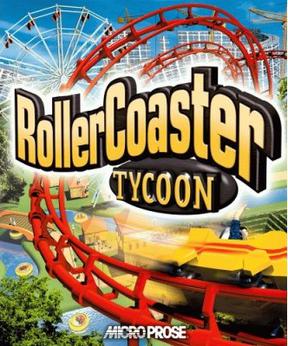
Featured Game: RollerCoaster Tycoon

For those who love money
http://upload.wikimedia.org/wikipedia/en/1/1d/Rct-box.jpgYear: 1999
Genre: Construction & Management Simulation
Recommend: YES


I'm the kind of person who likes more than solely action-oriented games, e.g. first-person shooters. If you're anything like me, RollerCoaster Tycoon ought to be on your list of favorites. It's one of the most addictive constructive and management simulations ever, and, come on, who doesn't like making money, even it is virtual?

What you'll need
RCT is a 2D game from 1999. You can play it. Really, you can.
Reviews and Awards
RCT was a huge success because of its uber-realistic model of an amusement park, as well as its originality. GameSpot and IGN gave the game 8.6 and 8.5/10, respectively. Some negatives: There's no sandbox mode, the isometric viewpoint can sometimes be irritating, and you can't fast forward time. The theme park industry and roller coaster enthusiasts applauded the game for its realism.
Tips
I strongly encourage you to get your hands on the Corkscrew Folllies and Loopy Landscapes expansions packs. More rides, more lanscaping options, more music, more scenarios (much more challenging than the stock scenarios), more everything! How can you go wrong?
I have no idea why I can't take screenshots, so here's Wikipedia's.

Wednesday, October 3, 2012

Featured Game: AssaultCube

Free, optimized, awesome
http://upload.wikimedia.org/wikipedia/en/thumb/f/fd/Logo_on-white.svg/2000px-Logo_on-white.svg.png
Year: 2006
Genre: First-person Shooter
Recommend: YES
Requested by NSDCars5


When I first heard about AssaultCube, I was impressed. A free shooter capable of multiplayer functionality on a 56k dialup connection? Meow. My positive opinion didn't change as I played on. On my desktop. See, Intel's ever-worthless GMA 3600 driver support crashes AC right before 3D rendering begins. That's annoying. Still, if you have a non-Cedar Trail netbook, this one's worth looking at.
 
What you'll need
AssaultCube, like the engine it's based off of, is cross-platform. Unlike Cube, AC is more advanced, but you can still run it on any netbook, provided that you have working drivers. I've seen a GMA 3150 netbook crank out 60 fps on medium settings on YouTube. Impressive!
 
Reviews and Awards

An editor at reloaded.org gave AC a 3.7/5 (users rated it 3.1) for its graphics, shooting action, and "lots of options." On the other hand, it is criticized for its lack of music and map diversity, among other things. Softpedia gave it 2 stars/5, much to the dismay of certain commenters. Users of SourceForge recommended the game 80% of the time.

Tips

If you're as frustrated with the current GMA 36x0 driver situation as I am, go here. This petition is intended for tablets, but Cedar Trail netbooks and Intel tablets use the same graphics core. If any positive change comes about from the petition, it will likely affect netbooks, too.

I can't get a screenshot, so Wikipedia comes to the rescue.
 

Tuesday, October 2, 2012

Featured Game: Cube

Doesn't feel like a true game
Year: 2001
Genre: First-Person Shooter
Recommend: YES
Honestly, Cube feels more like a tech demo than anything else. You won't find a polished interface like pretty much all commercial games out there. What Cube is really for is allowing game developers to experiment with level design on the fly and create their own shooters. But hey, if you want to shoot some trolls, more power to you.

 What you'll need
Any netbook will do. Since Cube's open source, you don't even have to be running Windows. Linux, Wii, even PocketPC users can play the game.
Reviews and Awards
LinuxDevCenter had a postive opinion of the Cube game/engine, saying, "It may be yet another first-person shooter engine, but Cube is one that the game mod community can use, without limitations, as the basis for their own creations." The Linux Game Tome awarded Cube with the first Happypenguin award for Best Free 3D Action Game. MacUpdate users rate the game 3.5/5 stars.
Tips
Gotta have native resolution? Dig into the Cube directory and pull up cube.bat in Notepad. It should say:
bin\cube.exe -w1024 -h600 %*
Use whichever resolution you like best.
The Odyssey, the biggest, most demanding, and most advanced map in Cube.

Thursday, September 27, 2012

Featured Game: SimCity

The very first

Year: 1989
Genre: City Building
Recommend: YES


Feel like going old school? What better way to do that than playing the original SimCity? Featuring a top-down perspective and vintage graphics, it doesn't get any more classic than this, as far as city building games go.
 
What you'll need
The Windows version of the game was released in 1992. You have nothing to worry about.
 
 
Reviews and Awards
SimCity won a boatload of awards in 1989 and 1990, namely Best PC Game, Game of the Year, Best Entertainment, Educational, and Simulation program, and so many more. IGN ranked it the 11th PC Game of All Time in 2009. The wave of Sim games that followed this one are a testament to just how great this game was at the time.
 
Tips
 
There are many versions of the game out there. My favorite is the 1992 Windows version at abandonia.com. Keep in mind that when saving a city, you have to follow the 8.3 naming rule, so BLUFFTOWN.CTY is not a valid name.
 

Ye olde Blufftown, known as Bluftown. Sorry about that.


Sunday, September 16, 2012

Featured Game: Icy Tower

Fun little time waster
Year: 2001
Genre: Action, Platform
Recommend: YES


At first, I didn't really see the point of Icy Tower. "What's so fun about hopping up platforms?" Then I read the instructions, and, "Oh, if you run fast, you jump high!" Suddenly, it became a challenge to land on a platform at high speed and make sure Harold the Homeboy got to the next platform. Icy Tower has a small footprint, charming music and graphical style, and a very simple concept. This game'll stay on my hard drive for the foreseeable future.
 
 
What you'll need
 
Icy Tower can run on PC's from the AT motherboard days. I don't think you need to worry.
 
 
Review and Awards
 
This game can't be judged by its reviews, but by its popularity. The game makes the "Most Popular" list for PC games at Download.com, and has an estimated 11 million downloads as of 2008. There are some sites devoted to Icy Tower from the Czech Republic, Germany, and Poland.
 
 
Tips
 
If getting a higher rank is important to you, just view your profile to see what you have to do to reach the next one. (I just can't get to the 300th floor!)
 

Boing!


Friday, September 7, 2012

Say Hello to the Gaming with Netbooks Netbook


I found it a bit hypocritical that I was telling my readers what they can and can't play on a netbook without actually owning a netbook myself. So I scoured the Internet for deals, and decided that a Cedar Trail netbook would be the best option for my low budget. I finally found the Gateway LT4004u, a fairly standard Cedar Trail netbook.
Normally this netbook would be out of my price range, but I found a killer deal at Newegg. My model is being offered for $213.98, but it's refurbished. That's no big deal, though; all that was wrong with the netbook was a few scratches on the lid.
Not only did I get a great deal on the netbook, Newegg was kind enough to include a free Targus sleeve with my purchase. In the product listing, Newegg claims the sleeve is black. It's not black. It's purple. Fortunately, the images Newegg uploaded clearly show the correct color. Note that the sleeve is refurbished as well, but I can't see any signs of use.
My case looks like this, but purple
The LT4004u houses an Atom N2600 processor and its accompanying GMA 3600 GPU. It supports 802.11b/g/n wireless networking (of course) and has a 6-cell battery. The netbook ships with 1 GB of RAM, but I plan to upgrade to 2 ASAP. Finally, the hard drive holds 250 GB of storage.

Gaming is definitely a hit-and-miss experience on the Cedar Trail platform. In my preliminary gaming tests, I found Project64, my favorite N64 emulator, to have major fluctations in framerates while emulating Super Smash Bros. Both Motocross Madness 2 and Midtown Madness exhibited slowdowns from time to time. I blame both Intel's pathetic driver support (only Windows 7 32-bit is supported, and weakly at that) and the fact that I only have 1 GB of RAM.

Some final thoughts: the screen is nice and bright, and the webcam is 'eh, ok'. The hard drive included with this model is pretty zippy, much to my appreciation. Another good thing is the low amount of bloatware; I didn't feel the immediate urge to uninstall everything I've never heard of.

On the whole, this is a peachy netbook  for productivity purposes, but gaming performance is a little underpowered. Once Intel updates its drivers, my opinion may change.


Wednesday, August 15, 2012

Featured Game: Midtown Madness

Drive around like a maniac with no repercussions
http://upload.wikimedia.org/wikipedia/en/2/2a/Mm1_boxshot.jpg Year: 1999
Genre: Racing
Recommend: YES


Got the need for speed? Well, you could play one of the Need for Speed games, or you could give Midtown Madness a try. There's nothing quite like hurtling down a Chicago freeway in a Panoz GTR-1 at 200+ MPH, trying to evade the cops. Or you could rumble down the avenue in a Freightliner Century, crushing every Geo Metro in sight. However you play, Midtown Madness gives you a super-fun experience, and the graphics aren't bad, considering the game's age.

What you'll need

You don't need to have the slightest worry about this game. If you can run Windows XP, you can run Midtown Madness. EDIT: You might have to reduce the graphics a bit for Cedar Trail netbooks; I get 13-32 fps on maxed out settings at 640x480.

Reviews and Awards

 Midtown Madness's most positive reviews (90% equivalent) came from Allgame and PC Zone, while the worst, 7/10 and 7.7/10 (still respectable) were given by Total Video Games and GameSpot, respectively. Midtown Madness was praised for its realistic vehicle models (for player-driven cars) and accuracy in portraying Chicago. On the other hand, the game was criticized for its poor performance on lower-end hardware (no big deal for netbooks) and AI intelligence, among others.

Tips
No, you can't commit vehicular homicide in Midtown Madness. If you could, the 'E' rating would be revoked in a heartbeat.

Sunday, August 5, 2012

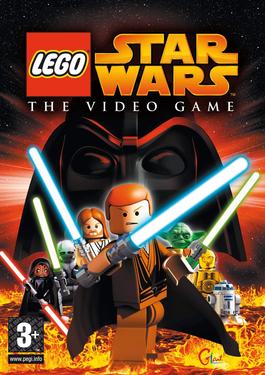
Featured Game: Lego Star Wars: The Video Game

Great game for the kids
http://upload.wikimedia.org/wikipedia/en/8/81/Legostarwarsthevideogame.jpg Year: 2005
Genre: Action Adventure
Recommend: YES


It's glaringly obvious: Lego Star Wars is not a franchise meant for the avid gamer. Heck, there's no 'game over' message to be found anywhere in the game. But for the 11-year-old with sci-fi tendencies, this game's a blast, not to mention it plays wonderfully on any Windows netbook.

What you'll need

 All you really need is 512 MB of RAM (half that on ION 2, but who has that kind of netbook with that much RAM?) and around half of a gigabyte of hard drive space.

Reviews and Awards

OK, so LSW didn't win any prestigious awards, but it was the 13th best selling game of 2005, behind Guild Wars and The Sims 2, to name a few. Lego Star Wars was named Game of the Year by Kidzworld.com (who?) and received a 77/100 score on Metacritic. IGN rated the game at 8/10 (great), saying "it has personality, puzzles, cooperative modes, replay value, low violence, a lack of frustrating difficulty, and most importantly, it has Darth Vader... Darth Vader makes everything better -- it's a fact."

 Tips

Should you find yourself playing this game in multiplayer mode, don't be a jerk and stay behind to collect every single stud in the map. You'll probably get booted off and have to rejoin anyway.
Sure, big blasters look impressive; too bad they aren't any more effective than regular blasters

Wednesday, July 25, 2012

Can DDR4 Save the Netbook?

http://upload.wikimedia.org/wikipedia/en/d/d3/Samsung_displays_first_DDR4_module.jpg
A developmental stick of DDR4 SDRAM from Samsung
Sick of integrated graphics? You're not alone. The next big thing in RAM, though, may finally bring integrated graphics up to a level gamers will actually consider. It's DDR4 SDRAM, or "double data rate type 4 synchronized dynamic random access memory". According to Micron Technology, a major player in the industry, DDR4 will hit sometime next year. More exciting than that are the improvements it's promising to bring over the current standard, DDR3. Plan on DDR4 running on 1.2V of power, compared to 1.5V that DDR3 currently uses. This lower voltage results in reduced power consumption, and that's always a plus for netbooks. Even better is DDR4's bandwidth, which is set to reach double the speed of DDR3. DDR4 is expected to launch at 2133 MT/s (megatransfers per second), resulting in a bandwidth of just over 17 GB/s, all in a single stick. That's a huge leap for netbook performance, as integrated graphics use the system's memory for its own use. Take a current-gen Atom netbook, for instance. You can get a maximum of 8.5 GB/s out of one today. Using DDR4, a bandwidth of over 17 GB/s can be achieved, which is required to play games like Call of Duty: World at War and Mass Effect. Or consider a larger netbook, like one with an AMD E1-1200 processor. In a single-channel configuration, over 10.6 GB/s of bandwidth is supplied. Double that with DDR4 and a dual-channel config and you have enough bandwidth for Civilization V. But for the million dollar question: can it save the netbook? Well, maybe, but not single-handedly. Newer and better CPU's and GPU's are necessary for the netbook to gain popularity. Regardless, however you look at it, DDR4 is an exciting technology that could finally grant netbooks the performance and lower power consumption they need.